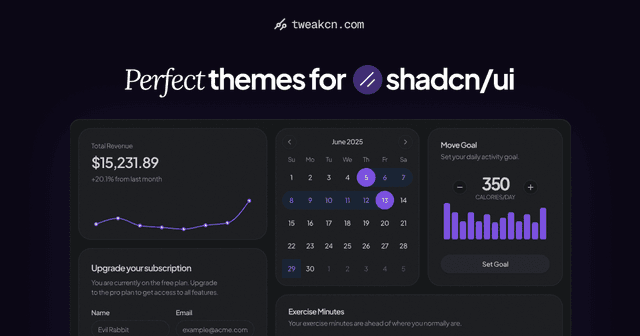
All the tools you need to customize your shadcn/ui components and make them unique.
Color Control
Customize background, text, and border colors with an intuitive color picker interface. We even integrate with the latest Tailwind v4 color palette.
Typography Settings
Fine-tune font size, weight, and text transform to create the perfect look.
Tailwind v4 & v3 Support
Seamlessly switch between Tailwind v4 and v3, with support for multiple color formats including OKLCH & HSL.
Tailwind Properties
Fine-tune every aspect of your components with precise control over radius, spacing, shadows, and other Tailwind properties.
Contrast Checker
Ensure your designs meet accessibility standards with built-in contrast ratio checking between text and background colors.
AI Theme GenerationPro
Create stunning, ready-to-use themes in seconds. Just provide an image or a text prompt, and our AI does the rest.
✦ Pro Features
Generate Themes With AI in Seconds
Create stunning ready-to-use themes. Just provide an image or text prompt, and our AI does the rest.
Theme Preview
Checkpoint Restoration
Image Uploads
Generate a theme from this image.
I've generated a Midnight Bloom theme based on your image. It features deep purples and blues for a calming, modern look.
Can you generate a theme inspired by @Twitter?
Alright, I've whipped up a Twitter-inspired theme. Expect bright blues and clean contrasts for a social, energetic vibe.
How about a @Supabase theme?
I've generated a Supabase theme for you. It uses fresh greens and dark backgrounds for a modern, developer-friendly feel.
✦ How It Works
Simple Process, Beautiful Results
Customize your shadcn/ui components in just a few simple steps.
01
Select Theme Preset
Choose the theme you want to customize from our growing library.
02
Customize Visually
Use our intuitive interface to adjust colors, dimensions, typography, and other properties.
03
Copy Code
Copy the generated Tailwind CSS code directly into your project.
✦ Roadmap
What's Coming Next
We're constantly working to improve tweakcn and add new features. Here's what's on our roadmap.
Global Theme Editor
Done
Create and manage complete themes with presets for your entire application.
Theme Import/Export
Done
Save and share your custom themes with others.
AI Theme Generation
In Progress
Generate and customize themes with AI assistance, making theme creation faster and more intuitive
Community Themes
Coming Soon
Allow users to submit themes, vote on the best designs
Multi-Project Management
Planned
Save and manage multiple theme projects, making it easy to switch between designs.
Smart Theme Generator
Planned
Generate beautiful themes from a single color, color pair, or even an image. Expand your customization options with AI-powered theme generation.
✦ FAQ
Frequently Asked Questions
Find answers to common questions about tweakcn.
Ready to Make Your Components Stand Out?
Start customizing your shadcn/ui components today and create a unique look for your application.
No login required. Free to use. Open source.
Inbox
WS
William Smith
Meeting Tomorrow
Reply-To: williamsmith@example.com
Oct 22, 2023, 9:00:00 AM
Hi, let's have a meeting tomorrow to discuss the project. I've been reviewing the project details and have some ideas I'd like to share. It's crucial that we align on our next steps to ensure the project's success.
Please come prepared with any questions or insights you may have. Looking forward to our meeting!
Best regards, William
Total Revenue
$15,231.89
+20.1% from last month
Subscriptions
+2,350
+180.1% from last month
tweakcn
A visual editor for shadcn/ui components with beautiful themes. Accessible. Customizable. Open Source.